


Sweet Selfie Beauty Camera
4.326.00 Reviews
App Specs
- Version
- V1.0.31
- Updated On
- License
- Free
- Downloads
- 5,000,000+
- Developer
- Bibun Soft
- Categories
- Beauty
- Platform
- Android, iOS
Screenshots
 Analysis by AppCompare
If you’re on the hunt for an app that can take your selfies from drab to fab, then Sweet Selfie Beauty Camera might just be the one for you! I decided to give this popular app a whirl, and here’s the lowdown on what it has to offer.
Where the app stands today
Sweet Selfie is a free beauty app from Thekla Neala, and its current version is V1.0.23. It has an average rating of 4.2 from around 7,100 ratings and more than a million installs, which suggests it has found an audience among people who want quick selfie edits rather than a full photo-editing workspace. It is rated for Everyone, though that age label does not tell you whether its beauty style will suit your taste.
What I would keep in mind is the app’s focus: this is a camera and selfie editor built around appearance adjustments, not a general-purpose tool for carefully retouching landscapes, product photos, or a whole album. That focus can be helpful when I want a fast portrait edit, but it also means I would compare its results with the unedited image before sharing. A tool that makes a face look polished can easily push a natural-looking photo into an artificial one if I accept every adjustment at once.
A practical way to try it
For a quick everyday portrait, I would start with a photo in even light, then make one change at a time. A bright window or an outdoor spot without harsh direct sun gives the camera a better starting point than a dim room; no beauty filter can fully rescue poor lighting without making the result look strange. I would first check the overall tone, then use skin smoothing sparingly, and only afterward decide whether facial adjustments or a finishing effect add anything useful.
This order matters because several small edits can accumulate. If I apply a one-tap makeover after already changing skin and facial features, I may end up with more retouching than I intended. My tip is to compare the image after each step and stop as soon as it feels like a better version of the original, rather than treating every available tool as something to use. For a profile photo, that restraint usually makes the result more believable; for a playful post, a stronger look may be exactly the point.
Who is likely to enjoy it
I can see this app working well for someone who takes casual selfies and wants an approachable set of beauty edits without learning a complex editor. It also makes sense for people who like experimenting with a different look before choosing a photo to share. If your priority is a quick portrait rather than detailed color work, layers, or precise control over every part of an image, a dedicated selfie app is a more natural place to begin.
It is less suitable if you want edits that are invisible, repeatable across a large batch of photos, or carefully controlled down to small details. In those situations, I would reach for a more traditional photo editor and keep the original file available. The best choice depends on what I am trying to make: Sweet Selfie is oriented toward face-focused convenience, while a general editor is usually the better fit for broader image adjustments and a consistent look across many pictures.
Worth Reading Before You Choose

EA SPORTS FC Mobile 26 Is a Bigger Football Game, but It Takes Time

Flipboard Shows What News Apps Must Do Beyond the Feed

Switching to Android Auto Means Rethinking Your Driving Routine

Google Calendar Makes a Crowded Week Easier to Manage

Ludo King Makes the Most of the Minutes Between Plans

Baby Panda World Brings Quick Play to Modern Phones, but Its Game Library Feels Busy
Everyday use and small trade-offs
Imagine getting ready to meet friends and noticing that the group chat needs a quick photo before you leave. I could open the selfie editor, take a few shots near a window, choose the one with the most natural expression, and make a light adjustment rather than retouching every detail. That is the kind of low-pressure moment where speed and simple controls matter more than a long list of advanced settings.
For a work profile or a formal application, I would be more cautious. A heavily altered portrait can create a mismatch between the picture and the person someone meets, and strong smoothing can remove details that make a face look like itself. I would use a straightforward image, keep changes subtle, and inspect the final crop on the screen where it will appear. For creative posts, I might push the look further, but I would still save or retain an unedited version so I can change my mind later.
There is also a useful distinction between editing a photo and deciding how you want to look in it. Filters and beauty effects can make a quick image feel finished, but they cannot replace choosing a flattering angle, checking the background, or waiting for better light. I get the most sensible results when I treat the editor as the last step, not as a reason to take a rushed photo in conditions that are working against me.
Getting Started with Sweet Selfie
First off, downloading and setting up Sweet Selfie Beauty Camera is a breeze. Available on both Android and iOS, the app welcomes you with an intuitive interface that even the least tech-savvy among us can navigate with ease. I was snapping and editing photos within minutes, and trust me, it’s perfect for those spontaneous selfie moments.
Features That Make You Go Wow!
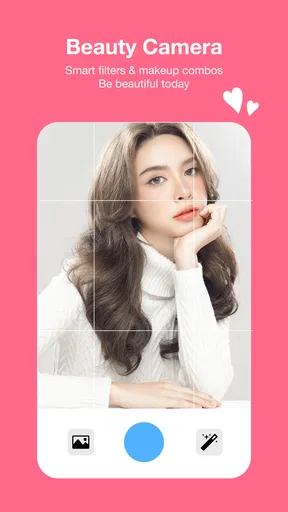
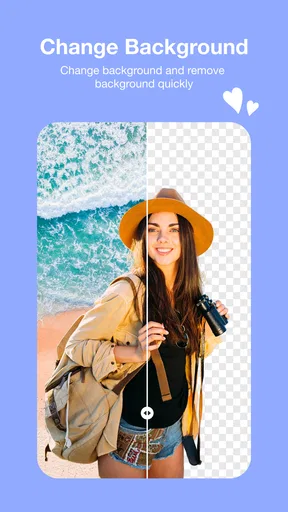
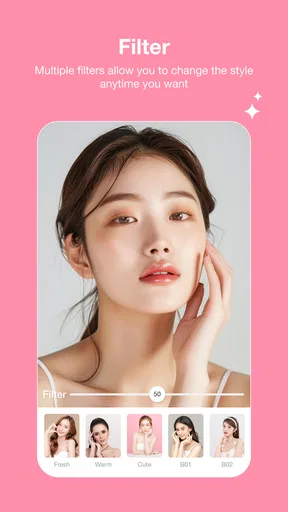
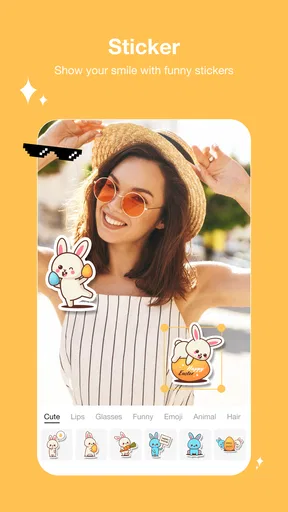
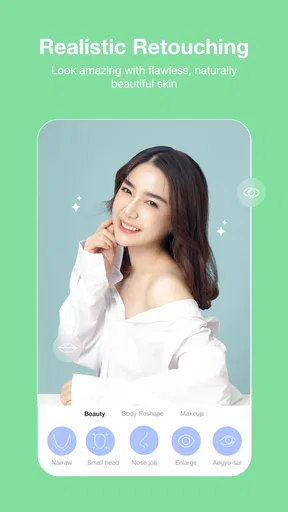
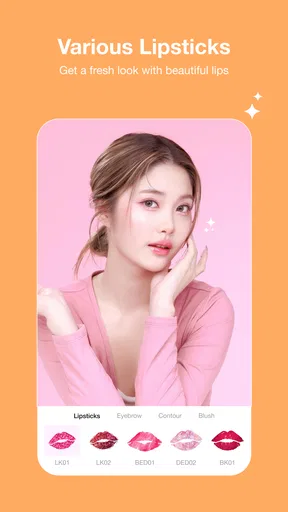
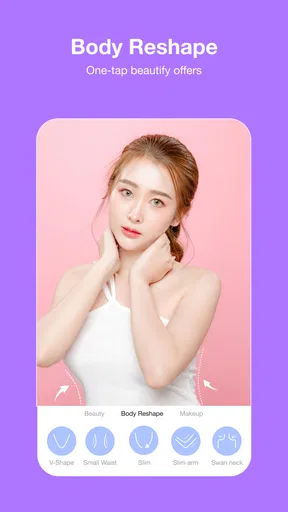
What really sets this app apart is its vast array of features. There’s the usual stuff like filters and stickers, but the real magic happens with its beauty tools. From smoothing skin to enhancing facial features, the app allows you to tweak your selfies just the way you like them. I found the teeth whitening tool particularly handy after my morning coffee!
Another standout feature is the one-tap makeover. It’s like having a digital glam squad at your fingertips, offering an instant way to spruce up your look. Whether you’re going for a natural vibe or something more dramatic, there’s an option for you.
Choosing between quick effects and careful edits
The quickest route is useful when I want a fun result without much thought, but I would not assume that one-tap editing is always the best choice for every portrait. A preset can make a photo feel cohesive in seconds; it can also apply more change than I want. I would use it as a starting point, then check whether the skin, facial proportions, and overall color still look like the person in the original picture.
Filters and stickers serve a different purpose from beauty tools. I think of them as a way to set a mood or add a playful touch, rather than as a fix for a portrait that needs better light or composition. If I am taking a selfie for a casual message, a sticker may be all the editing I need. If the image is meant to look polished, I would keep decoration minimal and pay more attention to whether the face remains natural.
Usability and Performance
Now, you might be wondering about the app’s performance. Well, during my time with it, Sweet Selfie Beauty Camera ran smoothly without any hiccups. It's quick to apply edits and doesn’t lag, which is crucial when you’re trying to capture that perfect moment. Plus, it doesn’t seem to drain the battery too quickly – a major win in my book!
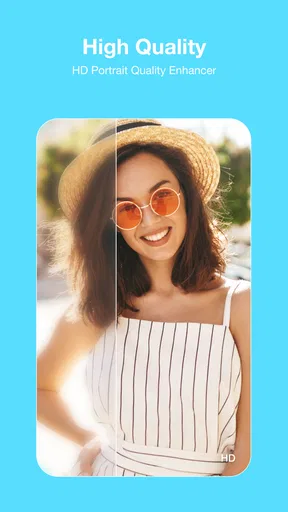
One thing that really impressed me is how the app maintains photo quality. Sometimes editing apps can degrade the quality of your images, but with Sweet Selfie, your photos come out crisp and vibrant.
What to check before making it part of your routine
The app is free to download, with in-app purchases ranging from about ten to one hundred dollars per item. I would take a moment to look at any purchase prompt before confirming it, especially if I only need occasional edits. A free starting point is convenient, but the presence of paid items means I would not assume every option is included at no cost.
It was released on April 22, 2025, and supports Android 7.0 and later. Those details are useful if you are checking compatibility on an older phone, but they do not guarantee the same speed or image quality on every device. For practical use, I would try a few ordinary edits on the phone I plan to use and see whether the preview and saved image look right to me before relying on it for an important portrait.
The developer is Thekla Neala. If I am deciding whether to keep the app, I would judge it by the parts I actually use: how easy it feels to capture and adjust a selfie, whether I can keep the result natural, and whether the available editing options justify any purchases I choose to make. Its broad audience and beauty focus make it approachable, but personal preference matters more than popularity when the subject is your own face.
Final Thoughts
So, is Sweet Selfie Beauty Camera worth downloading? Absolutely! Whether you’re a selfie aficionado or just looking to enhance your photos a bit, this app delivers in style and substance. With its user-friendly interface and powerful editing tools, it’s a must-have for anyone who loves taking selfies.
In short, if you want to elevate your selfie game and have a bit of fun doing it, give this app a go. You might just find yourself snapping more selfies than ever before!
What I would watch for as I use it
For an existing user, the practical question is whether the current version continues to fit the way you take pictures, not whether a version number alone promises a particular change. V1.0.23 identifies the version available now, while the April 2025 release date gives a point of reference for how recently the app entered the market. I would avoid assuming that either detail means a specific new feature has arrived; instead, I would check the app itself when deciding whether its editing flow still suits my habits.
Over time, I would pay attention to whether the controls remain easy to find, whether the saved image matches the preview, and whether the look I get feels consistent across different lighting. Those are the details that matter in repeated use. If the app continues to make quick portraits easy without pushing me toward effects I do not want, it earns a place in my camera routine. If I find myself correcting the same overdone look each time, a less beauty-focused editor may serve me better.
My overall recommendation is specific: try Sweet Selfie if you want a convenient way to experiment with portrait effects and quick makeovers, and take a few minutes to learn how subtle adjustments look on your own face. Skip it if your main goal is professional-grade retouching, batch editing, or unaltered documentary photos. I would start with a casual picture, make restrained changes, and decide from the saved result—not just the live preview—whether it gives you the look you actually want.
Pros
- User-friendly interface with intuitive controls.
- Offers a wide variety of filters and effects.
- Includes advanced editing tools for fine-tuning.
- Supports high-resolution photo output.
- Regular updates with new features and fixes.
Cons
- Contains ads that may interrupt usage.
- Some features require in-app purchases.
- Occasional performance lags on older devices.
- Limited features in offline mode.
- Account registration needed for full access.
FAQs for Sweet Selfie Beauty Camera
What features does Sweet Selfie Beauty Camera offer?
Sweet Selfie Beauty Camera provides a variety of features for enhancing your photos, including real-time beauty effects, filters, and editing tools. Users can access advanced tools like teeth whitening, face slimming, and eye enlargement. The app also includes fun stickers and AR effects to add creative flair to your selfies.
Is Sweet Selfie Beauty Camera free to use?
Yes, Sweet Selfie Beauty Camera is free to download and use. However, it offers in-app purchases for premium features. These may include additional filters, advanced editing tools, and an ad-free experience. Users can decide whether to enhance their experience by purchasing these extras.
Can Sweet Selfie Beauty Camera be used offline?
Sweet Selfie Beauty Camera can be used offline for taking photos and applying basic edits. However, certain features like downloading new filters and stickers or accessing cloud storage require an internet connection. For the best experience, occasional connectivity is recommended to keep the app updated.
Is the app compatible with both Android and iOS devices?
Yes, Sweet Selfie Beauty Camera is available for both Android and iOS platforms. The app is designed to perform smoothly on most devices, but it’s always a good idea to check the compatibility and system requirements on the respective app stores before downloading.
How user-friendly is Sweet Selfie Beauty Camera?
Sweet Selfie Beauty Camera is designed with an intuitive interface that is easy to navigate. Beginners will find it simple to apply filters and effects, while more experienced users will appreciate the depth of advanced editing tools. The app includes tutorials and tips to help users make the most of its features.


